
Skip to searchSkip to main content
SRNTS

 Course Overview
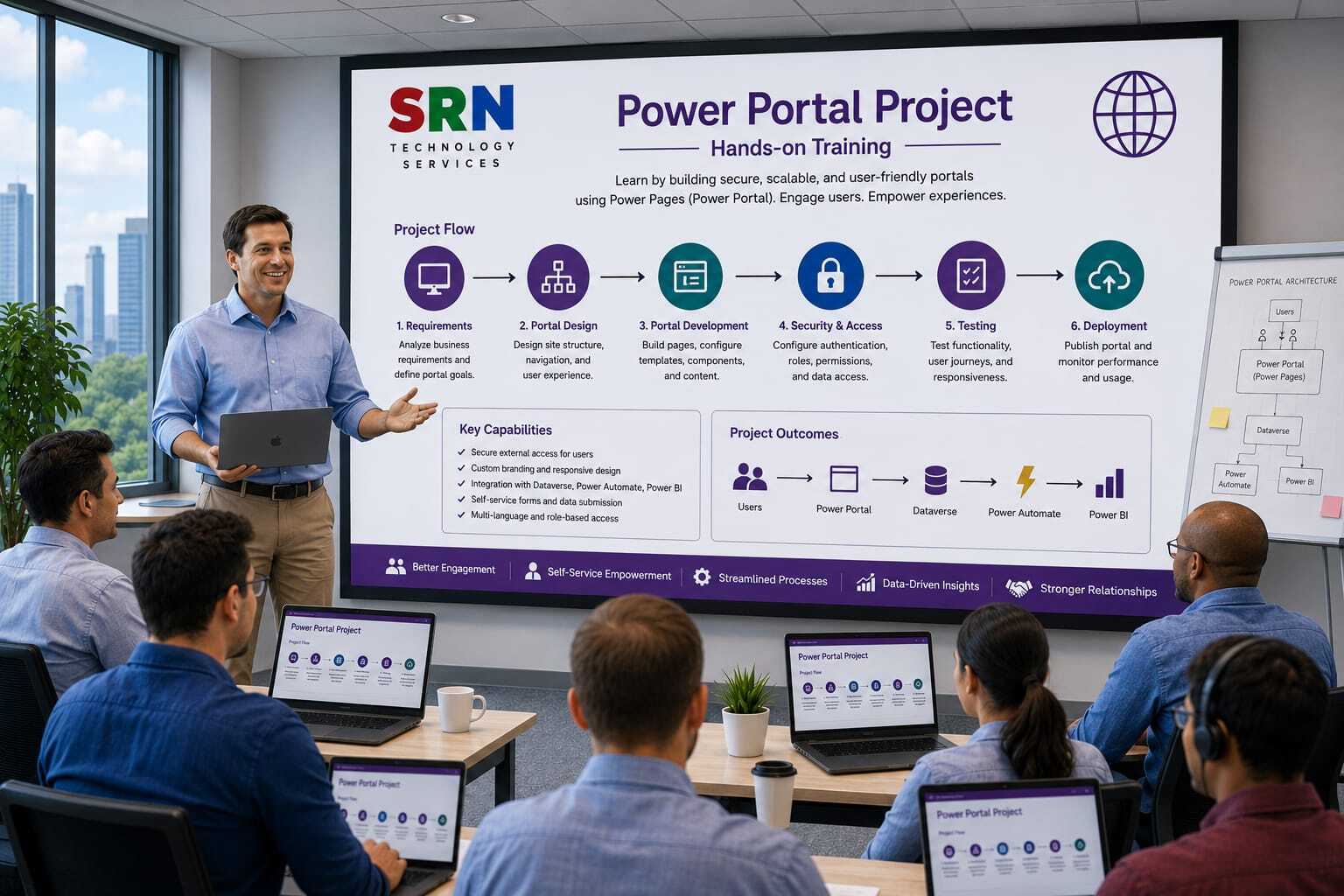
This Project-Based Training is designed to help participants understand how Azure Service Bus integrates with Microsoft Power Pages (formerly Power Apps Portal) to build scalable, event-driven business solutions. The training follows a real-world project approach where students will gather requirements, design integration architecture, and implement end-to-end workflows between Power Pages, backend applications, Dataverse, and Azure Service Bus.Rather than focusing only on theory, participants will work on a practical business scenario that demonstrates how customer requests submitted through a Power Pages website are processed through Azure Service Bus and consumed by multiple downstream systems.By the end of the training, students will have a clear understanding of how enterprise organizations leverage Azure Service Bus to enable secure, reliable, and asynchronous communication between Power Platform and external applications.

Audience
This training is ideal for:
Power Platform Developers
Power Pages Developers
Dynamics 365 Developers
Azure Integration Developers
.NET Developers
Solution Architects
Technical Consultants
Cloud Engineers
Integration Specialists
IT Professionals interested in Power Platform and Azure Integration

 Pre‑requisites
Basic understanding of Power Platform
Familiarity with web applications and portals
Basic understanding of Dataverse
Knowledge of REST APIs
Basic understanding of Azure fundamentals

Experience with Power Pages
Basic knowledge of C# and .NET
Understanding of Azure Service Bus concepts
Familiarity with authentication and authorization concepts
Experience with Microsoft Azure Portal

 Key Benefits
Build a complete Power Pages and Azure Service Bus integration project that mirrors real enterprise implementations.
Understand End-to-End Architecture
Learn how data flows from:
Power Pages
Dataverse
Azure Service Bus
Backend Services
External Systems
Notification Systems

Project Requirement

Project Overview

Project Name

SRNTS Learning & Placement Portal

Business Scenario

SRNTS Training Institute provides:

  • Power Platform Training
  • Dynamics 365 Training
  • Azure Training
  • Corporate Training
  • Job Support Services
  • Placement Assistance

Currently, all operations are handled manually through emails, phone calls, and Excel sheets.

SRNTS wants to build a self-service portal where:

  • Students can register and enroll in courses
  • Trainers can manage batches
  • Recruiters can post jobs
  • Corporate clients can request training
  • Support tickets can be raised and tracked

The portal will be built using Power Pages, Dataverse, Power Automate, JavaScript, and Plugins.


Portal User Types

Anonymous Users

  • View courses
  • Submit inquiries
  • View job openings
  • Register account

Students

  • Enroll in courses
  • Track payments
  • Download certificates
  • Apply for jobs

Trainers

  • Manage batches
  • Upload study materials
  • Update attendance

Recruiters

  • Post jobs
  • Review applications

Corporate Clients

  • Submit training requests
  • Track request status

Dataverse Tables

Student

  • Name
  • Mobile
  • Email
  • Experience

Course

  • Course Name
  • Duration
  • Fee

Enrollment

  • Student
  • Course
  • Status

Payment

  • Amount
  • Payment Date

Placement

  • Student
  • Company

Job Posting

  • Company
  • Skills
  • Experience

Corporate Request

  • Company Name
  • Requirement

Power Pages Requirements

Module 1

Public Course Catalog

Requirement

Anonymous users should be able to:

  • Browse courses
  • View details
  • Download brochures

Power Pages Concepts

  • Lists
  • Web Pages
  • Basic Forms
  • Web Files

Module 2

Student Registration Portal

Requirement

Students can:

  • Create account
  • Verify email
  • Complete profile

Concepts Covered

  • Local Authentication
  • Contacts
  • Registration Configuration

Module 3

Course Enrollment Portal

Requirement

Logged-in students can:

  • View courses
  • Enroll in courses

Concepts Covered

  • Basic Forms
  • Entity Permissions
  • Table Permissions

Module 4

Student Dashboard

Requirement

Students can see:

  • Active Courses
  • Completed Courses
  • Certificates
  • Payment Status

Concepts Covered

  • Liquid Templates
  • FetchXML

Module 5

My Profile Page

Requirement

Students can:

  • Update Profile
  • Upload Resume
  • Upload Certifications

Concepts Covered

  • File Columns
  • Basic Forms

Module 6

Payment History Portal

Requirement

Students should view:

  • Paid Amount
  • Pending Amount
  • Receipt Downloads

Concepts Covered

  • Lists
  • Related Records

Module 7

Attendance Portal

Requirement

Students can view:

  • Attendance Percentage
  • Session History

Concepts Covered

  • Liquid
  • FetchXML

Module 8

Certificate Download Portal

Requirement

After course completion:

Students can download certificates.

Concepts Covered

  • Document Management
  • Secure Downloads

Module 9

Placement Job Board

Requirement

Students can:

  • Search jobs
  • Filter jobs
  • Apply online

Concepts Covered

  • Advanced Lists
  • Search Configuration

Module 10

Job Application Tracking

Requirement

Students can track:

  • Applied
  • Shortlisted
  • Interview Scheduled
  • Selected

Concepts Covered

  • Related Data Display

Module 11

Recruiter Portal

Requirement

Recruiters can:

  • Create Job Posts
  • Update Job Posts
  • Close Job Posts

Concepts Covered

  • Web Roles
  • Table Permissions

Module 12

Resume Management

Requirement

Recruiters can:

  • View resumes
  • Download resumes

Concepts Covered

  • File Management
  • Security

Module 13

Corporate Training Request Portal

Requirement

Corporate clients can:

  • Submit training requests
  • Upload requirement documents

Concepts Covered

  • Multi-Step Forms
  • File Upload

Module 14

Support Ticket Portal

Requirement

Students can:

  • Raise ticket
  • Track ticket
  • Reply to ticket

Concepts Covered

  • Case Management
  • Portal Comments

Module 15

Knowledge Base Portal

Requirement

Users can search:

  • FAQs
  • Articles
  • Documentation

Concepts Covered

  • Knowledge Articles
  • Search Configuration

Module 16

Trainer Portal

Requirement

Trainers can:

  • View batches
  • Upload materials
  • Update attendance

Concepts Covered

  • Web Roles
  • Record Permissions

Module 17

Learning Material Portal

Requirement

Students can:

  • Download PDFs
  • Watch videos

Concepts Covered

  • Web Files
  • Content Management

Module 18

Referral Portal

Requirement

Students can:

  • Refer friends
  • Track referral status
  • View referral earnings

Concepts Covered

  • Related Records
  • Dashboard Design

Module 19

Multi-Step Admission Wizard

Requirement

Admission process:

Step 1 → Personal Details

Step 2 → Education

Step 3 → Experience

Step 4 → Payment

Step 5 → Confirmation

Concepts Covered

  • Multi-Step Forms
  • Session Management

Module 20

Placement Dashboard

Requirement

Students can see:

  • Applied Jobs
  • Upcoming Interviews
  • Placement Statistics

Concepts Covered

  • Liquid Templates
  • FetchXML Queries

Advanced Power Pages Requirements

Module 21

Role-Based Navigation

Different menus for:

  • Student
  • Trainer
  • Recruiter
  • Admin

Concepts

  • Web Roles
  • Content Snippets

Module 22

Dynamic Home Page

Display personalized content:

  • Welcome Message
  • Active Courses
  • Placement Updates

Concepts

  • Liquid Templates

Module 23

Custom Search Framework

Search across:

  • Courses
  • Jobs
  • Articles

Concepts

  • Dataverse Search
  • Liquid

Module 24

Custom JavaScript Integration

Requirements:

  • Dynamic validations
  • AJAX calls
  • Form customization

Concepts

  • jQuery
  • Web API
  • Client-side scripting

Module 25

External API Integration

Integrate:

  • Payment Gateway
  • WhatsApp API
  • Certificate Verification

Concepts

  • Power Automate
  • Portal Integration

Security Topics Covered

Authentication

  • Local Login
  • Azure AD Login
  • Microsoft Account Login

Authorization

  • Web Roles
  • Table Permissions
  • Column Permissions

Data Security

  • Parent Access
  • Contact Access
  • Global Access
  • Account Access

Advanced Development Topics

Liquid Templates

  • Variables
  • Loops
  • Conditions
  • FetchXML Integration

FetchXML

  • Filtering
  • Sorting
  • Joins

JavaScript

  • Form Events
  • AJAX
  • Validation

Portal Management

  • Web Pages
  • Web Templates
  • Content Snippets
  • Site Settings

ALM

  • Solutions
  • Deployment
  • Portal Migration

Real-Time Project Exposure

Students will learn:

  • How real customer, partner, and student portals are designed.
  • How to secure Dataverse records using Table Permissions.
  • How to implement role-based access control.
  • How to customize Power Pages using Liquid, JavaScript, and FetchXML.
  • How Power Pages integrates with Power Automate, Plugins, and external systems.
  • How enterprise-grade self-service portals are deployed and maintained.

Enrollment Form

If you have no pending queries and feel confident after completing the trainer assessment session and reviewing earlier batch recordings, please proceed by filling out the form below to officially enroll in the SRNTS Training Program.

  • Are you interested to receive training related update over Whatspp & Gmail *

💬 Need Assistance?

If you have any questions about the training program or the enrollment process, our support team is here to help. You can reach us through the following channels:

  • 📱 WhatsApp Chat – Quick and convenient messaging support

  • 📞 Direct Call – Speak with our team instantly

  • 📧 Email Support – Get detailed assistance via mail