
Skip to searchSkip to main content
SRNTS

 Course Overview

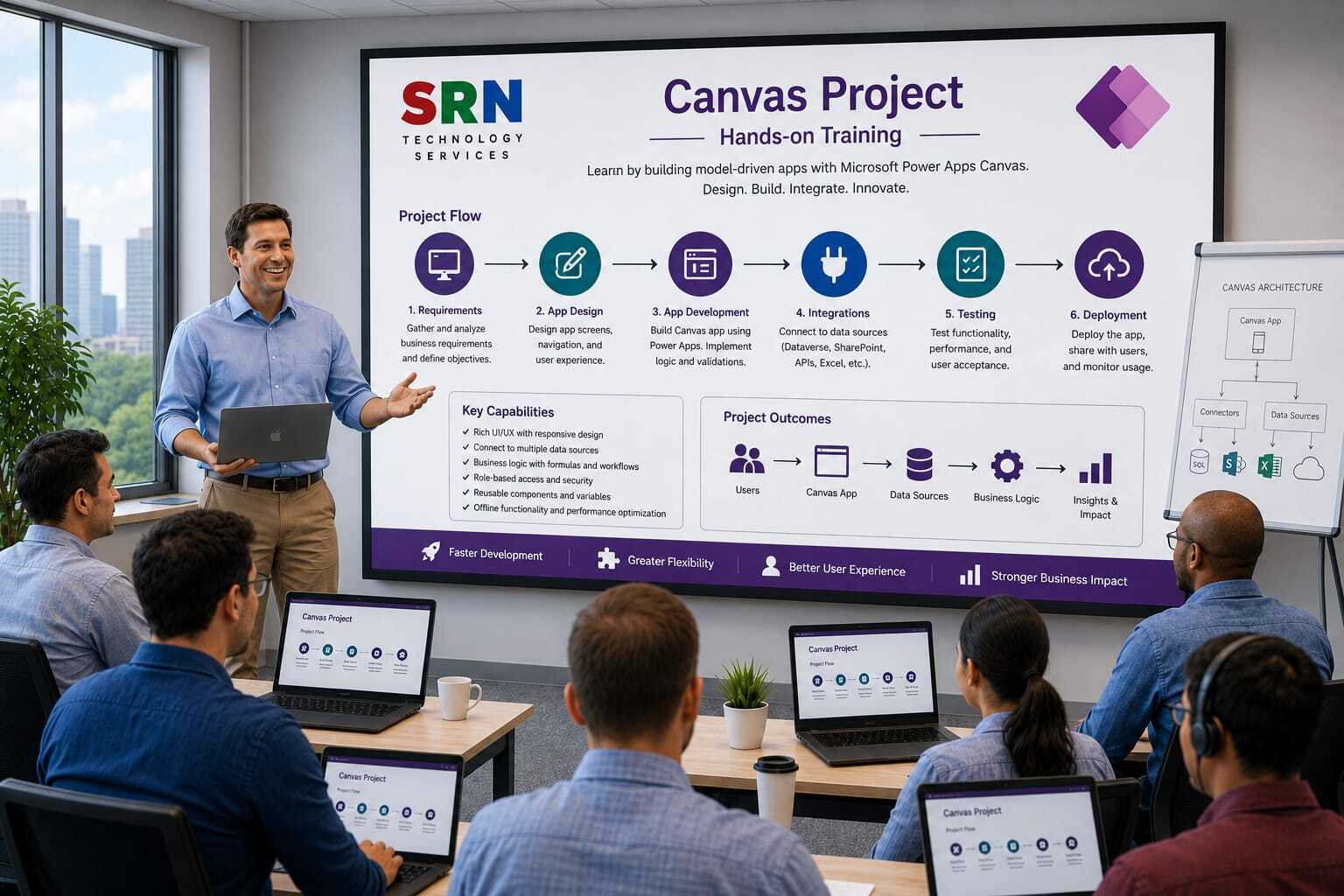
This Canvas App Project Training is designed to provide hands-on experience in building real-world business applications using Microsoft Power Apps Canvas Apps. Participants will work on end-to-end projects involving data management, user interface design, business logic implementation, Power Automate integration, reporting, and deployment. The training focuses on practical application development scenarios commonly used in organizations, helping learners gain job-ready Power Platform skills.

 Audience

This program is designed for:

    • Power Platform Developers
    • Business Analysts
    • Functional Consultants
    • Citizen Developers
    • Dynamics 365 Professionals
    • IT Professionals
    • Students and Professionals looking for hands-on Power Apps experience

Pre‑requisites

To maximize learning outcomes, participants should have:

  • Basic understanding of Microsoft Power Apps Canvas Apps
  • Familiarity with Power Platform fundamentals
  • Basic knowledge of Dataverse, SharePoint, or Excel as data sources
  • Understanding of business processes is beneficial
  • Basic Power Automate knowledge is helpful but not mandatory

 Key Benefits

  • Build complete real-world Canvas App projects from scratch
  • Gain practical experience with business application development
  • Learn advanced Power Fx formulas and application design techniques
  • Integrate Canvas Apps with Dataverse, SharePoint, SQL, and external data sources
  • Automate business processes using Power Automate
  • Implement security, validation, and user role management
  • Develop responsive and mobile-friendly applications
  • Follow industry best practices for application development and deployment
  • Create a project portfolio to showcase Power Platform skills
  • Become job-ready for Power Apps and Power Platform development roles with hands-on project experience
  • Project Requirement

    Project Overview

    Project Name

    SRNTS Training & Placement Management Mobile App

    Business Scenario

    SRNTS Training Institute manages:

    • Student Registrations
    • Course Enrollments
    • Batch Management
    • Trainer Management
    • Fee Collection
    • Job Support Requests
    • Placement Activities
    • Corporate Training Requests

    Currently, employees use Excel sheets and emails to manage operations. SRNTS wants a modern mobile-friendly application built using Canvas Apps that allows students, trainers, counselors, and managers to perform their activities from anywhere.

    The application will use:

    • Canvas Apps
    • Dataverse
    • Power Automate
    • SharePoint
    • Outlook
    • Microsoft Teams

    User Roles

    Student

    • Register Profile
    • View Courses
    • Track Payments
    • Apply for Jobs

    Counselor

    • Manage Leads
    • Create Enrollments
    • Follow-up Students

    Trainer

    • Mark Attendance
    • Upload Materials
    • Manage Batches

    Placement Team

    • Post Jobs
    • Schedule Interviews
    • Track Placements

    Management

    • View Dashboards
    • Revenue Reports
    • Placement Reports

    Dataverse Tables

    Student

    • Student Name
    • Mobile Number
    • Email
    • Experience

    Course

    • Course Name
    • Duration
    • Fee

    Enrollment

    • Student
    • Course
    • Batch

    Payment

    • Amount
    • Date

    Attendance

    • Student
    • Session Date

    Placement

    • Company
    • Salary

    Canvas App Requirements

    Module 1

    Student Registration Screen

    Requirement

    Create a mobile-friendly screen for:

    • New Student Registration
    • Profile Updates

    Concepts Covered

    • Edit Forms
    • SubmitForm()
    • Validation

    Module 2

    Student Search Screen

    Requirement

    Search students by:

    • Name
    • Email
    • Mobile Number

    Concepts Covered

    • Galleries
    • Search()
    • Filter()

    Module 3

    Course Catalog Screen

    Requirement

    Display:

    • Course Details
    • Fees
    • Duration

    Concepts Covered

    • Responsive Galleries
    • Sorting

    Module 4

    Enrollment Screen

    Requirement

    Counselor should enroll student into a course.

    Concepts Covered

    • Patch()
    • Lookup()
    • Relationships

    Module 5

    Fee Collection Screen

    Requirement

    Capture:

    • Payment Amount
    • Payment Date
    • Payment Mode

    Concepts Covered

    • Patch()
    • Calculations

    Module 6

    Attendance Management

    Requirement

    Trainer should:

    • Mark attendance
    • Update attendance

    Concepts Covered

    • Galleries
    • Collections
    • Batch Updates

    Module 7

    Batch Management Screen

    Requirement

    Display:

    • Active Batches
    • Students Count
    • Trainer Information

    Concepts Covered

    • Nested Galleries

    Module 8

    Student Dashboard

    Requirement

    Show:

    • Enrolled Courses
    • Attendance %
    • Certificates
    • Payment Status

    Concepts Covered

    • Dashboard Design
    • KPIs

    Module 9

    Placement Dashboard

    Requirement

    Placement team should view:

    • Open Jobs
    • Applied Students
    • Selected Students

    Concepts Covered

    • Charts
    • Data Aggregation

    Module 10

    Interview Scheduling Screen

    Requirement

    Schedule interviews.

    Concepts Covered

    • Date Controls
    • Patch()
    • Notifications

    Module 11

    Corporate Training Request Screen

    Requirement

    Capture:

    • Company Details
    • Requirement
    • Budget

    Concepts Covered

    • Multi-Screen Navigation

    Module 12

    Job Application Screen

    Requirement

    Students should:

    • View jobs
    • Apply for jobs

    Concepts Covered

    • Galleries
    • Relational Data

    Module 13

    Referral Management Screen

    Requirement

    Students can:

    • Refer candidates
    • Track referrals

    Concepts Covered

    • Parent-Child Records

    Module 14

    Document Upload Screen

    Requirement

    Upload:

    • Resume
    • Certificates
    • ID Proof

    Concepts Covered

    • Attachment Controls
    • Dataverse Files

    Module 15

    Student Feedback Screen

    Requirement

    Capture:

    • Ratings
    • Comments

    Concepts Covered

    • Forms
    • Rating Controls

    Module 16

    Notification Center

    Requirement

    Display:

    • New Announcements
    • Placement Updates
    • Batch Updates

    Concepts Covered

    • Collections
    • Real-Time Data Refresh

    Module 17

    Revenue Dashboard

    Requirement

    Display:

    • Monthly Revenue
    • Pending Fees
    • Collections

    Concepts Covered

    • Charts
    • Aggregation Functions

    Module 18

    Placement Analytics Dashboard

    Requirement

    Show:

    • Total Placements
    • Highest Package
    • Company-wise Placements

    Concepts Covered

    • Power BI Integration
    • Charts

    Module 19

    Approval Screen

    Requirement

    Manager should approve:

    • Corporate Requests
    • Fee Discounts

    Concepts Covered

    • Power Automate Integration
    • Approval Workflows

    Module 20

    Mobile Home Screen

    Requirement

    Role-based dashboard:

    Student

    • Courses
    • Attendance

    Trainer

    • Batches
    • Attendance

    Manager

    • Reports
    • Revenue

    Concepts Covered

    • Role-Based UI
    • User() Function

    Advanced Canvas App Requirements

    Module 21

    Offline Attendance App

    Requirement

    Trainer should mark attendance without internet.

    Sync later when online.

    Concepts Covered

    • SaveData()
    • LoadData()
    • Offline Capability

    Module 22

    QR Code Attendance

    Requirement

    Student scans QR code to mark attendance.

    Concepts Covered

    • Barcode Scanner
    • QR Reader

    Module 23

    Camera Integration

    Requirement

    Capture student photo.

    Concepts Covered

    • Camera Control
    • Media Upload

    Module 24

    Signature Capture

    Requirement

    Student signs digitally.

    Concepts Covered

    • Pen Input Control

    Module 25

    AI-Based Course Recommendation

    Requirement

    Recommend courses based on:

    • Experience
    • Skills
    • Career Goal

    Concepts Covered

    • AI Builder
    • Formula Logic

    Power Fx Topics Covered

    Functions

    • Filter()
    • Search()
    • LookUp()
    • Patch()
    • Collect()
    • ClearCollect()
    • UpdateIf()
    • Remove()
    • Sum()
    • CountRows()

    Integration Topics

    Dataverse

    • CRUD Operations
    • Relationships

    Power Automate

    • Approvals
    • Notifications
    • Document Generation

    Outlook

    • Email Notifications

    Teams

    • Team Notifications

    SharePoint

    • Document Management

    Power BI

    • Embedded Reports

    Performance Optimization

    Topics Covered

    • Delegation
    • Concurrent()
    • Collections
    • Lazy Loading
    • Performance Monitoring

    Security Topics

    Role-Based Access

    • Student
    • Trainer
    • Counselor
    • Placement Team
    • Manager

    Dataverse Security

    • Business Units
    • Security Roles

    Enterprise-Level Features

    Reusable Components

    • Header Component
    • Footer Component
    • Navigation Component

    Environment Variables

    • Configuration Management

    ALM

    • Managed Solutions
    • Deployment Strategy

    Real-Time Project Exposure

    Participants will learn:

    • How real enterprise Canvas Apps are designed.
    • How to build responsive mobile and tablet applications.
    • How to implement role-based navigation and security.
    • How to integrate Canvas Apps with Dataverse, Power Automate, Outlook, Teams, and SharePoint.
    • How to optimize app performance for production environments.
    • How to implement offline capabilities and mobile device features.

    Enrollment Form

    If you have no pending queries and feel confident after completing the trainer assessment session and reviewing earlier batch recordings, please proceed by filling out the form below to officially enroll in the SRNTS Training Program.

    • Are you interested to receive training related update over Whatspp & Gmail *

    💬 Need Assistance?

    If you have any questions about the training program or the enrollment process, our support team is here to help. You can reach us through the following channels:

    • 📱 WhatsApp Chat – Quick and convenient messaging support

    • 📞 Direct Call – Speak with our team instantly

    • 📧 Email Support – Get detailed assistance via mail