
Skip to searchSkip to main content
SRNTS

Course Overview

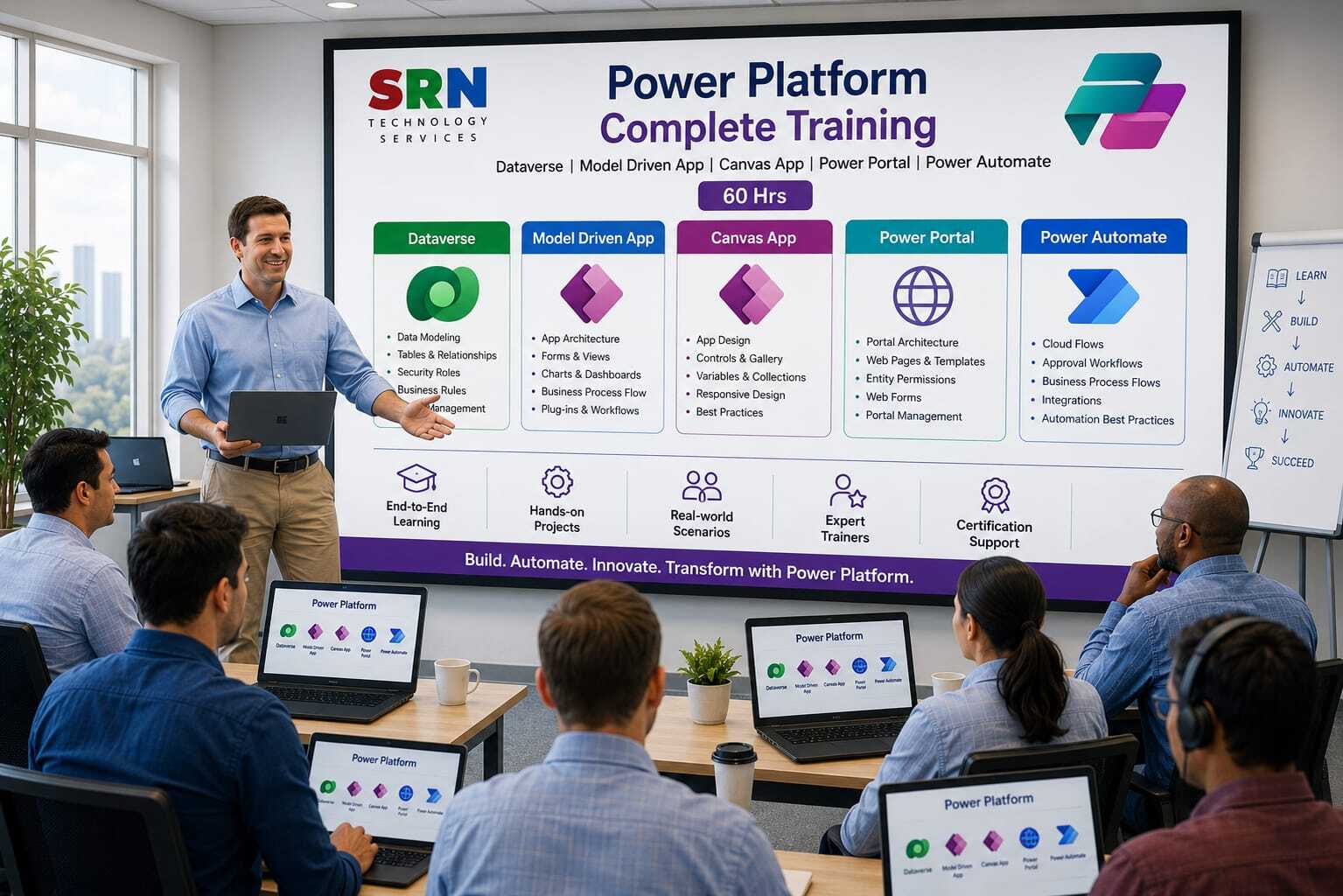
This training provides a comprehensive introduction to Microsoft Power Platform, a powerful low-code platform for building business applications, automating workflows, analyzing data, and creating intelligent solutions. Participants will learn the core components of Power Platform, including Power Apps, Power Automate, Power BI, Dataverse, Copilot, and AI capabilities, enabling them to rapidly develop and deploy enterprise-grade solutions.

Audience

This program is designed for:

    • Power Platform Developers
    • Business Analysts
    • Functional Consultants
    • Dynamics 365 Professionals
    • Citizen Developers
    • IT Professionals
    • Business Users interested in digital transformation and automation 

 Pre‑requisites

To maximize learning outcomes, participants should have:

  • Basic computer and internet knowledge
  • Familiarity with Microsoft 365 applications
  • Understanding of business processes is beneficial
  • No programming experience required
  • Interest in automation, analytics, and application development

 Key Benefits

  • Understand the complete Microsoft Power Platform ecosystem
  • Build business applications using Power Apps
  • Automate workflows and processes with Power Automate
  • Create interactive reports and dashboards using Power BI
  • Manage business data securely with Dataverse
  • Leverage AI and Copilot capabilities for intelligent automation
  • Integrate with Dynamics 365, Microsoft 365, Azure, and third-party systems
  • Accelerate digital transformation with low-code development
  • Gain hands-on experience through real-world projects and use cases
  • Build in-demand skills for Power Platform development, administration, and solution architecture roles 

Curriculam

Power Platform Complete Training Curriculum (40 Hours)

Module 1: Introduction to Microsoft Power Platform (2 Hours)

  • Overview of Power Platform
  • Components: Dataverse, Power Apps, Power Automate, Power Pages
  • Licensing and Environment Setup
  • Power Platform Architecture
  • Business Use Cases and Benefits

Module 2: Microsoft Dataverse (8 Hours)

  • Introduction to Dataverse
  • Creating Tables and Columns
  • Data Types and Choices
  • Relationships (1:N, N:1, N:N)
  • Business Rules
  • Calculated and Rollup Columns
  • Forms and Views
  • Data Import and Export
  • Auditing and Data Management
  • Security Model Overview
  • Security Roles, Teams, and Business Units
  • Dataverse Best Practices

Module 3: Model-Driven Apps (8 Hours)

  • Introduction to Model-Driven Apps
  • Creating Model-Driven Applications
  • Forms Customization
  • Views and Advanced Filtering
  • Dashboards and Charts
  • Business Process Flows
  • Command Bar Configuration
  • Sitemap and Navigation
  • Security Integration
  • App Publishing and Deployment
  • Real-World Business Scenarios

Module 4: Canvas Apps (10 Hours)

  • Introduction to Canvas Apps
  • Power Apps Studio Overview
  • App Design and Layouts
  • Working with Controls
  • Connecting to Dataverse
  • Forms and CRUD Operations
  • Variables and Collections
  • Power Fx Fundamentals
  • Galleries and Responsive Design
  • Media and Attachments
  • Custom Components
  • Error Handling
  • Performance Optimization
  • Publishing and Sharing Applications

Module 5: Power Automate (7 Hours)

  • Introduction to Power Automate
  • Automated, Instant, and Scheduled Flows
  • Dataverse Triggers and Actions
  • Approval Workflows
  • Conditions and Switch Statements
  • Variables and Loops
  • Expressions and Functions
  • Email and Notification Automation
  • Exception Handling
  • Child Flows
  • Solution-Aware Flows
  • Monitoring and Troubleshooting
  • Best Practices

Module 6: Power Pages (Power Portal) (3 Hours)

  • Introduction to Power Pages
  • Creating a Power Pages Site
  • Dataverse Integration
  • Forms and Lists
  • Authentication and Authorization
  • Web Roles and Table Permissions
  • Branding and Customization
  • Publishing and Security Best Practices

Module 7: Solutions, ALM, and Deployment (1 Hour)

  • Managed and Unmanaged Solutions
  • Environment Strategy
  • Solution Packaging
  • Import and Export Solutions
  • Deployment Best Practices
  • Introduction to ALM

Module 8: Capstone Project (1 Hour)

  • Create Dataverse Data Model
  • Build a Model-Driven App
  • Develop a Canvas App
  • Implement Power Automate Workflows
  • Create a Power Pages Website
  • Configure Security and Permissions
  • End-to-End Deployment

Hands-On Project
Participants will build a complete business application using Dataverse, Model-Driven Apps, Canvas Apps, Power Automate, and Power Pages. The project will include data management, automation workflows, portal development, security implementation, and deployment using industry best practices.

Training Outcome
Upon completion, participants will be able to design, develop, automate, secure, and deploy end-to-end business solutions using Microsoft Power Platform, including Dataverse, Model-Driven Apps, Canvas Apps, Power Automate, and Power Pages. This training is focused on practical implementation and real-world business scenarios.

Enrollment Form

If you have no pending queries and feel confident after completing the trainer assessment session and reviewing earlier batch recordings, please proceed by filling out the form below to officially enroll in the SRNTS Training Program.

  • Are you interested to receive training related update over Whatspp & Gmail *

💬 Need Assistance?

If you have any questions about the training program or the enrollment process, our support team is here to help. You can reach us through the following channels:

  • 📱 WhatsApp Chat – Quick and convenient messaging support

  • 📞 Direct Call – Speak with our team instantly

  • 📧 Email Support – Get detailed assistance via mail