
Skip to searchSkip to main content
SRNTS

 Course Overview

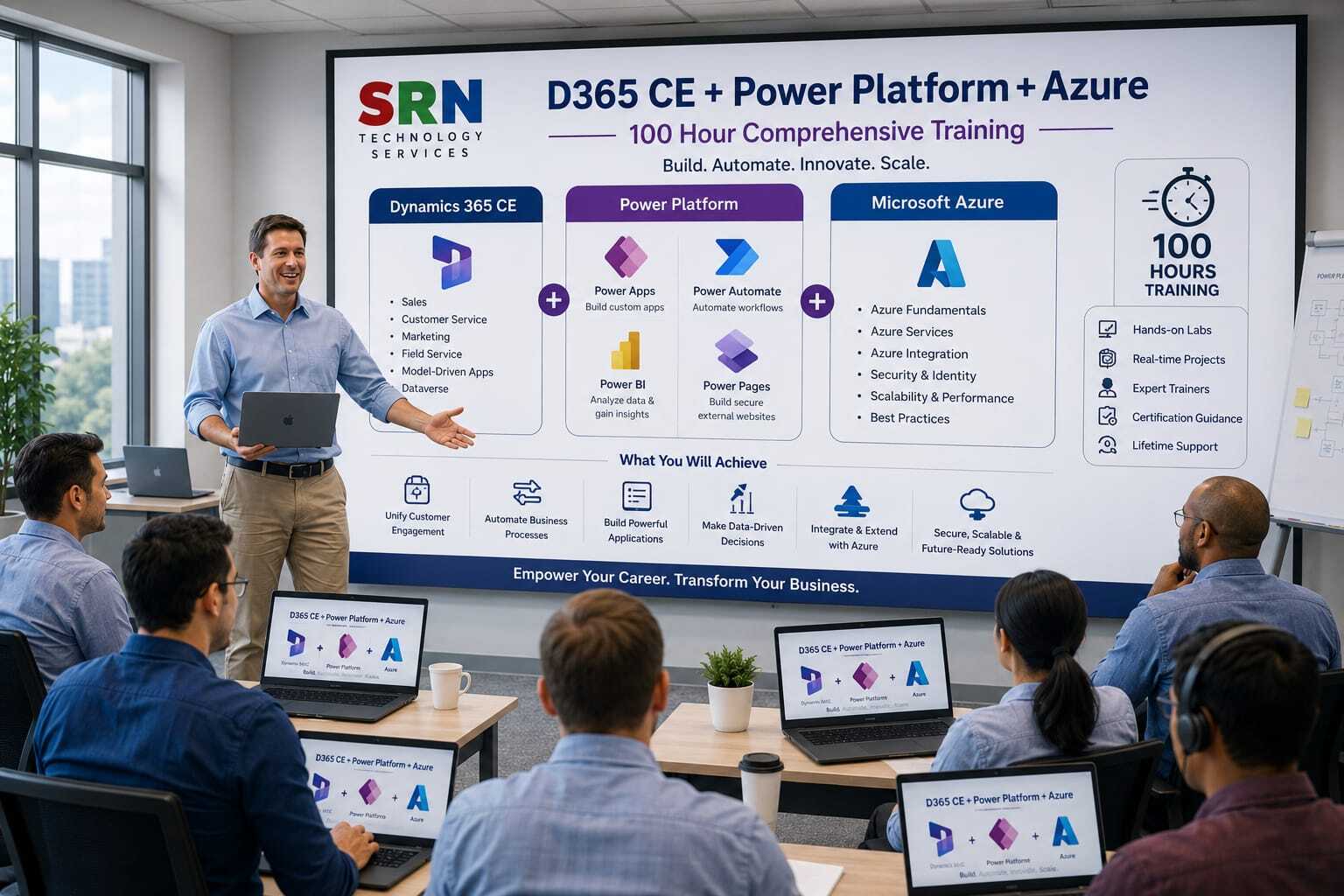
Step into the future of enterprise innovation with Dynamics 365 Customer Engagement (CE), the Power Platform, and Azure. This training delivers a unified journey across Microsoft’s most powerful technologies, equipping you to design intelligent apps, automate workflows, integrate cloud services, and deliver customer‑centric solutions at scale. Through immersive hands‑on labs and real‑world case studies, you’ll master extending Dynamics 365 with Power Apps and Power Automate, managing data securely with Dataverse, and leveraging Azure for advanced integration, AI, and scalability. By the end of the program, you’ll be ready to architect enterprise‑grade solutions that accelerate innovation, enhance customer engagement, and drive digital transformation across industries.

Audience

  • Aspiring professionals eager to build careers in enterprise applications and cloud innovation.

  • Power Platform developers looking to extend apps and workflows with Dynamics 365 CE and Azure.

  • IT professionals and solution architects modernizing enterprise systems with scalable, cloud‑based solutions.

  • Business analysts and citizen developers seeking to automate processes, enrich insights, and deliver customer‑centric apps.

 Pre‑requisites

  • Basic familiarity with Power Platform (Power Apps, Power Automate, Power BI).

  • Understanding of Dynamics 365 CE concepts (entities, forms, workflows helpful but not mandatory).

  • Foundational knowledge of cloud computing or Azure services (recommended).

  • Access to a Microsoft 365 or Dynamics 365 environment for hands‑on practice.

  • A growth mindset and enthusiasm to explore enterprise‑scale innovation.


 Key Benefits

    • Unified Expertise: Gain mastery across Dynamics 365 CE, Power Platform, and Azure in one integrated program.

    • Hands‑On Mastery: Learn to design, customize, and deploy enterprise solutions with real‑world scenarios.

    • Career Acceleration: Acquire highly sought‑after skills in cloud, low‑code, and enterprise application development.

    • Seamless Integration: Connect apps, workflows, and data across Microsoft 365, Dynamics 365, and Azure services.

    • Enterprise‑Scale Impact: Deliver secure, scalable, and intelligent solutions that transform customer engagement.


  • Curriculam

    D365 CE + Power Platform + Azure Developer Training Program (Fresher & Less Than 3 Years Experience) – 120 Hours Training Curriculum

    Module 1: Microsoft Business Applications Overview (4 Hrs)

    • Introduction to Dynamics 365 CE
    • Introduction to Power Platform
    • Introduction to Microsoft Azure
    • Business Application Architecture
    • Career Paths and Solution Overview

    Module 2: Dataverse Fundamentals (8 Hrs)

    • Dataverse Architecture
    • Tables, Columns, and Relationships
    • Choice Fields and Lookups
    • Business Rules
    • Security Roles and Teams
    • Data Modeling Best Practices

    Module 3: Dynamics 365 Sales (8 Hrs)

    • Accounts and Contacts
    • Lead Management
    • Opportunity Management
    • Product Catalog
    • Quotes, Orders, and Invoices
    • Dashboards and Reporting

    Module 4: Dynamics 365 Customer Service (8 Hrs)

    • Case Management
    • Queues and Routing
    • Service Level Agreements (SLAs)
    • Knowledge Management
    • Customer Service Workspace
    • Reporting and Analytics

    Module 5: Dynamics 365 Marketing / Customer Insights (6 Hrs)

    • Segments and Customer Profiles
    • Email Marketing
    • Customer Journeys
    • Lead Scoring
    • Marketing Automation
    • Marketing Analytics

    Module 6: Dynamics 365 Field Service (6 Hrs)

    • Work Orders
    • Resource Scheduling
    • Schedule Board
    • Customer Assets
    • Mobile Application
    • Inventory Management

    Module 7: Model-Driven Apps Development (8 Hrs)

    • Forms and Views
    • Dashboards and Charts
    • Business Rules
    • Business Process Flows
    • Security Configuration
    • App Publishing

    Module 8: Canvas Apps Development (8 Hrs)

    • Screens and Controls
    • Power Fx Fundamentals
    • Forms and Galleries
    • Dataverse Integration
    • Responsive Design
    • App Optimization

    Module 9: Power Automate (8 Hrs)

    • Cloud Flows
    • Approval Processes
    • Dataverse Automation
    • Power Apps Integration
    • Desktop Flows (RPA)
    • Error Handling and Monitoring

    Module 10: Power Pages (6 Hrs)

    • Website Creation
    • Authentication and Security
    • Forms and Lists
    • Dataverse Integration
    • Power Automate Integration

    Module 11: Copilot Studio & AI Builder (6 Hrs)

    • Copilot Agents
    • Topics and Conversations
    • Generative AI Features
    • AI Builder Models
    • Business Automation Scenarios

    Module 12: JavaScript Development for Dynamics 365 (8 Hrs)

    • JavaScript Fundamentals
    • Form Scripting
    • Event Handling
    • Client API
    • Dataverse Web API
    • Validation and Automation Logic

    Module 13: C# Plugin Development (12 Hrs)

    • C# Fundamentals
    • Dataverse SDK
    • Plugin Architecture
    • CRUD Operations
    • Plugin Registration Tool
    • Debugging and Tracing
    • Business Logic Implementation

    Module 14: Power Apps Component Framework (PCF) (8 Hrs)

    • TypeScript Fundamentals
    • PCF Architecture
    • Custom Controls Development
    • Dataset Controls
    • React Basics for PCF
    • Deployment and Packaging

    Module 15: Azure Fundamentals (4 Hrs)

    • Azure Architecture
    • Resource Groups
    • Storage Accounts
    • Azure Identity and Security
    • Cloud Solution Concepts

    Module 16: Azure Functions (6 Hrs)

    • Serverless Computing
    • Triggers and Bindings
    • C# Azure Functions
    • Dataverse Integration
    • REST API Development

    Module 17: Azure Service Bus (4 Hrs)

    • Messaging Concepts
    • Queues and Topics
    • Publish-Subscribe Architecture
    • Integration Scenarios

    Module 18: Azure Logic Apps (4 Hrs)

    • Workflow Automation
    • Connectors and Triggers
    • Business Process Integration
    • API Connectivity

    Module 19: Azure API Management (4 Hrs)

    • API Fundamentals
    • API Security
    • Policies and Transformations
    • Monitoring and Analytics

    Module 20: Azure Event Hub & Event Grid (4 Hrs)

    • Event-Driven Architecture
    • Event Hub Fundamentals
    • Event Grid Fundamentals
    • Real-Time Integration Scenarios

    Module 21: ALM, DevOps & Solution Management (4 Hrs)

    • Managed and Unmanaged Solutions
    • Environment Strategy
    • Azure DevOps Overview
    • CI/CD Concepts
    • Deployment Best Practices

    Module 22: Integration Scenarios (4 Hrs)

    • Dataverse Integration
    • REST APIs
    • Azure Integration
    • Third-Party Application Integration
    • Error Handling Strategies

    Module 23: Security & Governance (2 Hrs)

    • Security Roles and Permissions
    • Field-Level Security
    • Governance Best Practices
    • Compliance and Auditing

    Module 24: Real-World Projects (8 Hrs)

    • Sales Automation Project
    • Customer Service Project
    • Field Service Project
    • Power Platform Automation Project
    • Azure Integration Project

    Module 25: Interview Preparation & Career Readiness (4 Hrs)

    • Dynamics 365 Interview Questions
    • Power Platform Interview Questions
    • Azure Interview Questions
    • Resume Building
    • Mock Interviews
    • Project Discussion Sessions

    Project (6 Hrs)

    • Build an enterprise solution using Dynamics 365 CE, Dataverse, Model-Driven Apps, Canvas Apps, Power Automate, Power Pages, Copilot Studio, JavaScript, Plugins, PCF, Azure Functions, Service Bus, Logic Apps, APIM, and CI/CD deployment.

    Total Duration: 120 Hours

    Training Includes: Theory Sessions, Live Demonstrations, Hands-on Labs, Assignments, Real-Time Business Scenarios, End-to-End Projects, Interview Preparation, Resume Guidance, and Capstone Project Development.

    Enrollment Form

    If you have no pending queries and feel confident after completing the trainer assessment session and reviewing earlier batch recordings, please proceed by filling out the form below to officially enroll in the SRNTS Training Program.

    • Are you interested to receive training related update over Whatspp & Gmail *

    Need Assistance?

    If you have any questions about the training program or the enrollment process, our support team is here to help. You can reach us through the following channels:

    • 📱 WhatsApp Chat – Quick and convenient messaging support

    • 📞 Direct Call – Speak with our team instantly

    • 📧 Email Support – Get detailed assistance via mail