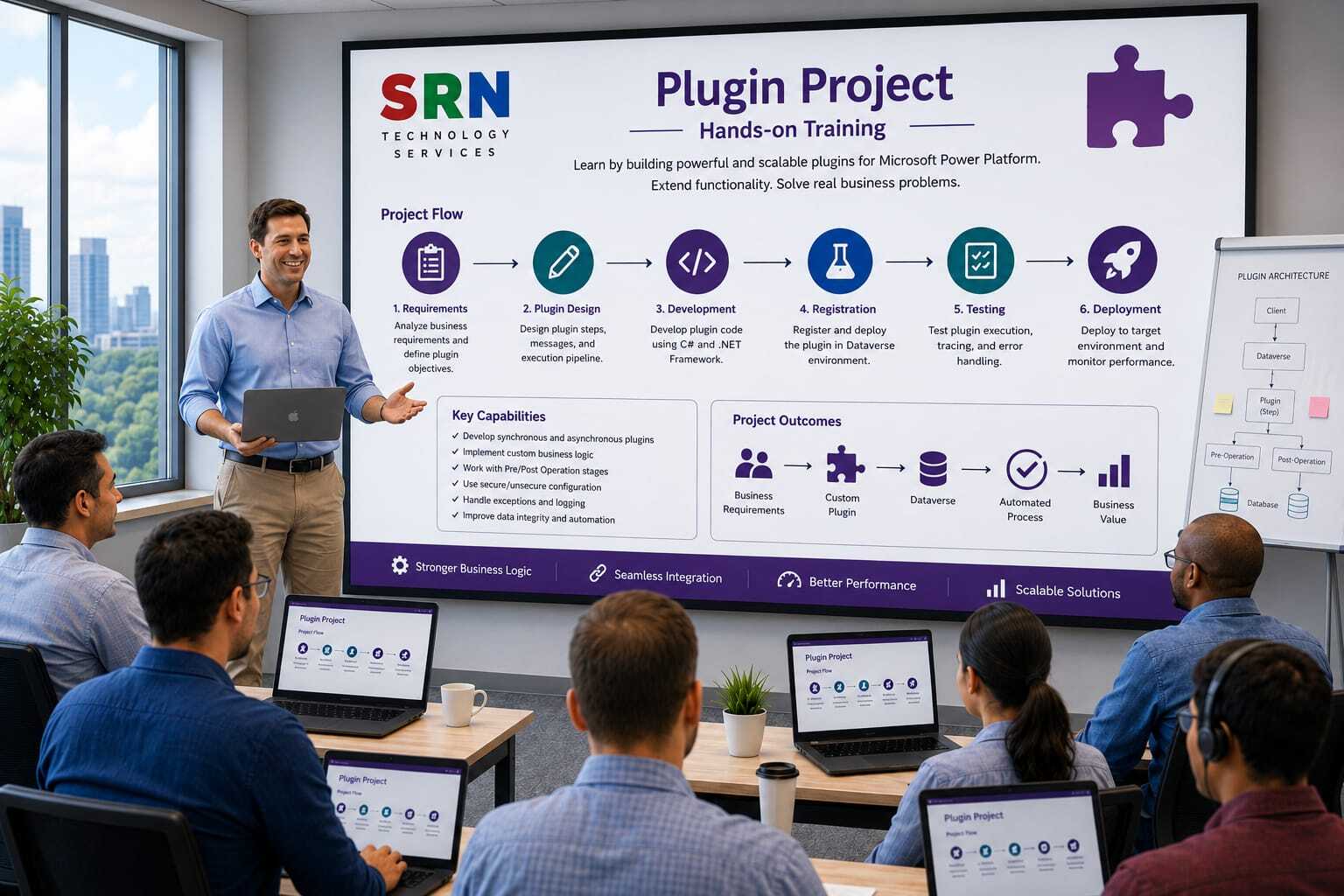
Project Overview
Project Name
SRNTS Learning & Placement Management System
Business Scenario
SRNTS provides training, job support, certification guidance, and placement assistance to students. The organization wants to automate its business processes using Microsoft Power Platform and Dynamics 365.
The system will manage:
- Student Registration
- Course Enrollment
- Batch Management
- Fee Collection
- Certification Tracking
- Placement Assistance
- Referral Program
- Trainer Management
- Job Support Requests
The project contains multiple real-time requirements that cannot be achieved using only Power Automate or Business Rules. Therefore, Plugins will be implemented to enforce business logic and maintain data integrity.
Custom Tables
Student
- Student ID
- Full Name
- Mobile Number
- Email
- Status
- Referral Code
Course
Enrollment
- Student
- Course
- Batch
- Enrollment Date
- Total Fee
- Paid Amount
- Balance Amount
Payment
- Enrollment
- Payment Amount
- Payment Date
Referral
- Referrer Student
- Referred Student
- Referral Bonus
Placement
- Student
- Company Name
- Salary
- Joining Date
Plugin Requirements
Module 1
Auto Generate Student ID
Requirement
When a new student is created:
Generate Student ID automatically.
Example:
Concepts Covered
- Pre Operation Plugin
- Auto Number Logic
- Shared Variables
Module 2
Prevent Duplicate Mobile Number
Requirement
No two students should have the same mobile number.
If duplicate exists:
Show validation message.
Concepts Covered
- Pre Validation Plugin
- QueryExpression
- Throw InvalidPluginExecutionException
Module 3
Auto Populate Course Fee
Requirement
When Enrollment is created:
Course Fee should automatically populate from selected course.
Concepts Covered
- Retrieve Record
- Pre Operation Plugin
Module 4
Balance Amount Calculation
Requirement
Whenever payment is made:
Balance Amount should be recalculated.
Formula:
Balance Amount = Total Fee - Paid Amount
Concepts Covered
- Post Operation Plugin
- Aggregate Calculation
Module 5
Prevent Over Payment
Requirement
Student should not pay more than course fee.
Example:
Course Fee = ₹20,000
Already Paid = ₹18,000
Maximum allowed payment = ₹2,000
Concepts Covered
- Validation Plugin
- Business Rules
Module 6
Referral Bonus Calculation
Requirement
When referred student completes full payment:
Referral bonus should be automatically calculated.
Example:
Course Fee = ₹20,000
Referral Percentage = 20%
Bonus = ₹4,000
Concepts Covered
- Parent Child Records
- Cross Entity Update
Module 7
Update Student Status
Requirement
If student completes full fee payment:
Status should automatically become:
"Active Student"
Concepts Covered
- Entity Update
- Plugin Chaining
Module 8
Enrollment Cancellation
Requirement
If enrollment is cancelled:
All future payments should be blocked.
Concepts Covered
- Validation Plugin
- Business Process Enforcement
Module 9
Placement Package Validation
Requirement
Salary package cannot be negative.
Salary cannot exceed predefined company package range.
Concepts Covered
- Pre Validation
- Complex Validation Logic
Module 10
Auto Create Placement Follow-up Activities
Requirement
When placement record is created:
Automatically create:
- Welcome Call
- Documentation Review
- Joining Confirmation
Concepts Covered
- Create Multiple Records
- Activity Creation
Module 11
Audit Log Entity
Requirement
Track critical changes:
- Course Fee Changes
- Student Status Changes
- Enrollment Cancellation
Store old value and new value.
Concepts Covered
- Pre Image
- Post Image
- Audit Framework
Module 12
Trainer Allocation Validation
Requirement
One trainer cannot be assigned to more than 5 active batches.
Concepts Covered
- QueryExpression
- Aggregate Validation
Module 13
Automatic Certificate Eligibility
Requirement
Certificate should be generated only when:
- Attendance > 80%
- Fee Paid 100%
- Course Completed
Concepts Covered
Module 14
Real-Time Notification Framework
Requirement
Whenever:
- Student Enrolled
- Fee Completed
- Placement Achieved
Create Notification records automatically.
Concepts Covered
- Generic Plugin Framework
- Reusable Architecture
Module 15
Generic Plugin Framework
Requirement
Build enterprise-level reusable framework:
- Base Plugin Class
- Logging Framework
- Error Handling Framework
- Helper Classes
- Service Layer
Concepts Covered
- Enterprise Plugin Design
- SOLID Principles
- Dependency Injection Pattern
- Reusable Components
Advanced Plugin Topics Covered
Plugin Registration Tool
- Synchronous Plugin
- Asynchronous Plugin
- Images
- Filtering Attributes
- Secure Configuration
- Unsecure Configuration
Development
- Early Bound Classes
- Late Bound Classes
- QueryExpression
- FetchXML
- LINQ
Debugging
- Plugin Trace Logs
- Exception Handling
- Performance Optimization
Real-Time Project Exposure
Students will learn:
- How actual client requirements are analyzed.
- How plugin design documents are prepared.
- How reusable plugin frameworks are developed.
- How plugins interact with Power Automate.
- How production-ready code is written and deployed.