
Skip to searchSkip to main content
SRNTS

 Course Overview

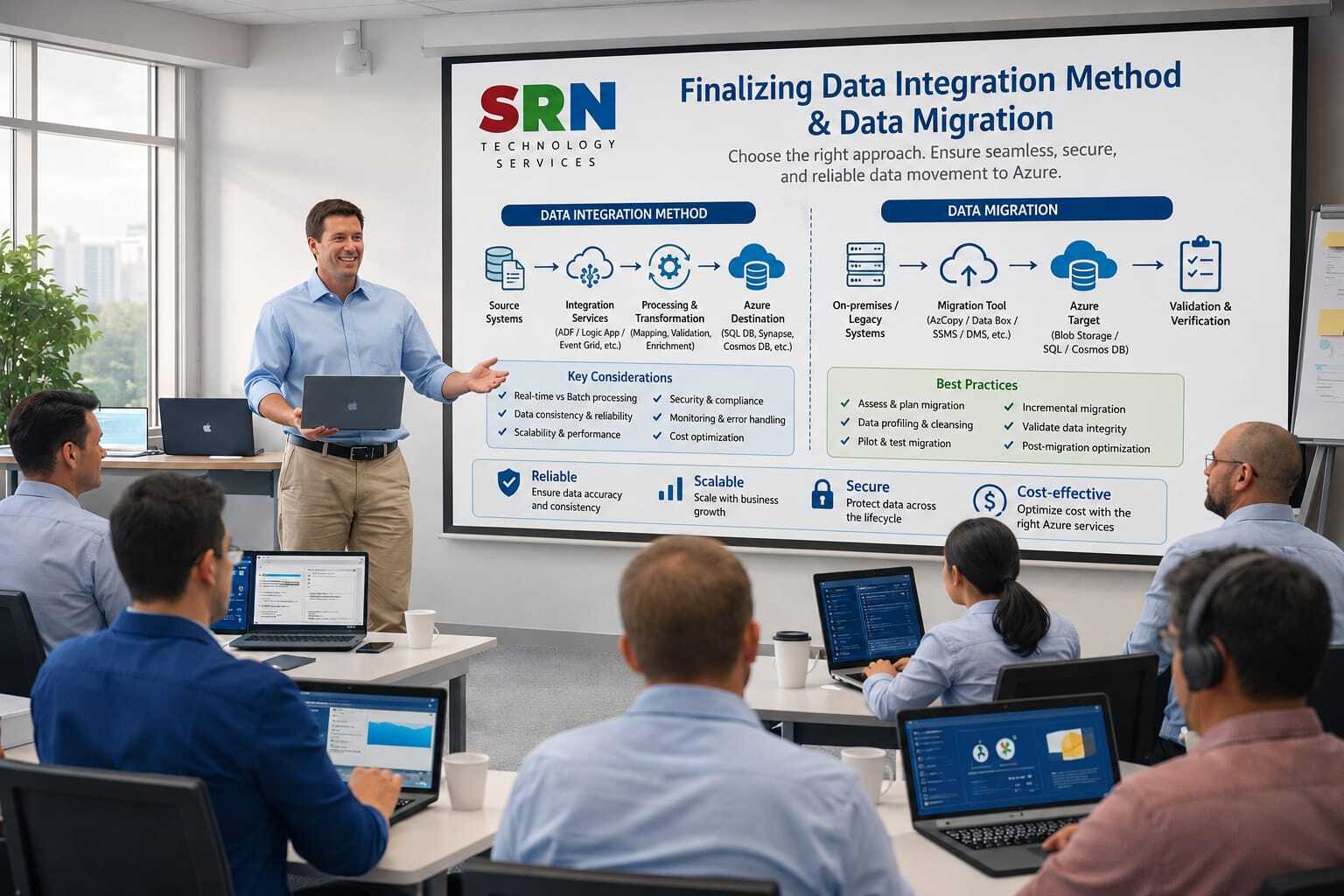
Power Platform Data Migration & Integration Decision Framework Training

Organizations implementing Microsoft Power Platform and Dynamics 365 often face critical questions regarding data migration and system integration. Selecting the wrong approach can result in project delays, performance issues, increased costs, and poor user adoption.

This training program is designed to help Power Platform professionals, consultants, architects, and technical leads understand how to analyze client requirements and determine the most suitable data migration and integration strategy.

Participants will learn how to evaluate various migration and integration options available within the Microsoft ecosystem, including Dataflows, Power Query, KingswaySoft, SSIS, Azure Data Factory, Logic Apps, Power Automate, Custom APIs, Azure Functions, Service Bus, and Dataverse integration patterns.

The training focuses on real-world scenarios, architectural decision-making, best practices, performance considerations, security requirements, and implementation strategies used in enterprise Power Platform projects.

By the end of this program, participants will be able to confidently recommend and design migration and integration solutions for small, medium, and large-scale client implementations.

Pre-Requisites

Participants should have a basic understanding of:

Technical Knowledge

  • Microsoft Power Platform fundamentals

  • Dataverse concepts

  • Power Apps

  • Power Automate

  • Dynamics 365 CE fundamentals

  • Basic understanding of APIs and web services

Professional Experience

Recommended for professionals with:

  • 1+ years of Power Platform experience

  • Exposure to implementation projects

  • Basic knowledge of data management concepts

Helpful but Not Mandatory

  • Azure Fundamentals

  • SQL Server knowledge

  • Integration experience

  • Data migration exposure

Target Audience

This training is ideal for:

Power Platform Developers

Professionals responsible for implementing Power Platform solutions and integrating external systems.

Dynamics 365 Consultants

Consultants involved in CRM implementations and business application modernization projects.

Solution Architects

Architects responsible for defining enterprise integration and migration strategies.

Technical Leads

Team leads managing Power Platform and Dynamics 365 implementation projects.

Integration Specialists

Professionals working with APIs, middleware, and enterprise integrations.

Project Managers

Project managers who need to understand migration and integration planning considerations.

Aspiring Architects

Developers and consultants looking to transition into Solution Architect or Technical Architect roles.

Key Benefits of the Training Program

Learn How Architects Make Decisions

Understand the thought process used by Solution Architects and Technical Architects when selecting migration and integration approaches.

Master Data Migration Strategies

Learn when to use:

  • Dataflows

  • Configuration Migration Tool

  • KingswaySoft

  • SSIS

  • Azure Data Factory

  • Power Query

  • Custom Migration Utilities

based on business requirements.

Understand Integration Decision Frameworks

Learn how to decide between:

  • Power Automate

  • Azure Logic Apps

  • Azure Functions

  • Custom APIs

  • Service Bus

  • Event-Driven Architecture

  • Middleware Solutions

for different client scenarios.

Real-World Enterprise Scenarios

Analyze practical scenarios involving:

  • ERP Integrations

  • Legacy System Migrations

  • CRM Modernization Projects

  • Third-Party Application Integrations

  • Large Data Volume Migrations

Improve Solution Design Skills

Develop the ability to design scalable, secure, and maintainable integration architectures.

Performance and Scalability Best Practices

Understand performance considerations when dealing with:

  • Millions of records

  • High transaction volumes

  • Real-time integrations

  • Batch processing

Security and Compliance Guidance

Learn best practices for:

  • Authentication

  • Authorization

  • Data Protection

  • Compliance Requirements

Prepare for Solution Architect Roles

Build skills commonly expected from:

  • Power Platform Solution Architects

  • Dynamics 365 Architects

  • Technical Architects

  • Enterprise Integration Architects

Scenario-Based Learning

Work through multiple client scenarios and learn how to justify architectural decisions to stakeholders.

Increase Professional Value

Gain specialized knowledge that differentiates you from standard Power Platform developers and positions you for senior consulting and architecture roles.

Training Outcomes

After completing this training, participants will be able to:

✔ Analyze client migration requirements

✔ Design enterprise integration architectures

✔ Select appropriate migration tools and technologies

✔ Recommend optimal integration patterns

✔ Evaluate scalability and performance considerations

✔ Handle complex client scenarios confidently

✔ Participate in architecture discussions effectively

✔ Transition toward Solution Architect responsibilities

Curriculam

Power Platform Data Migration & Integration Strategy Training

Duration: 20 Hours

Level: Intermediate to Advanced

Target Audience:

  • Power Platform Developers

  • Dynamics 365 CE Consultants

  • Technical Consultants

  • Solution Architects

  • Technical Leads

  • Integration Specialists

Module 1: Introduction to Data Migration and Integration in Power Platform

Duration: 2 Hours

Topics Covered

Understanding Enterprise Implementations

  • Why Data Migration is Critical

  • Why Integration is Critical

  • Common Challenges in Enterprise Projects

  • Data Quality Issues

  • Legacy System Challenges

Power Platform Architecture Overview

  • Dataverse Architecture

  • Integration Architecture Overview

  • Enterprise Application Landscape

Data Migration vs Integration

  • Key Differences

  • Business Scenarios

  • Decision Framework

Hands-On Discussion

  • Real Client Scenarios

  • Migration vs Integration Identification


Module 2: Data Migration Assessment and Planning

Duration: 2 Hours

Topics Covered

Requirement Gathering

  • Understanding Source Systems

  • Understanding Target Systems

  • Business Requirements Collection

Migration Assessment Framework

  • Data Volume Analysis

  • Data Complexity Analysis

  • Data Quality Analysis

Migration Strategy Design

  • Big Bang Migration

  • Phased Migration

  • Hybrid Migration

Risk Identification

  • Data Loss Risks

  • Downtime Risks

  • Security Risks

Practical Exercise

  • Migration Planning Workshop


Module 3: Dataverse Data Migration Options

Duration: 2 Hours

Topics Covered

Native Microsoft Migration Tools

Excel Import

  • Advantages

  • Limitations

  • Best Use Cases

Data Import Wizard

  • Features

  • Limitations

Configuration Migration Tool

  • Setup

  • Best Practices

Dataflows

  • Power Query Integration

  • Incremental Loading

  • Data Transformation

Migration Decision Matrix

Practical Exercise

  • Dataflow Migration Demo


Module 4: Advanced Migration Tools

Duration: 2 Hours

Topics Covered

KingswaySoft

  • Architecture

  • Licensing

  • Enterprise Scenarios

SQL Server Integration Services (SSIS)

  • Overview

  • ETL Concepts

  • Migration Strategies

Azure Data Factory

  • Pipeline Architecture

  • Enterprise Data Migration

Comparing Migration Tools

Tool

Best For

Excel Import

Small Data

Dataflow

Medium Data

KingswaySoft

Large Data

ADF

Enterprise Scale

Scenario Workshop

  • Selecting Correct Migration Tool


Module 5: Data Migration Architecture Decisions

Duration: 2 Hours

Topics Covered

Migration Design Considerations

Handling

  • Lookup Data

  • Related Records

  • Ownership Data

  • Attachments

  • Notes

  • Activity Data

Performance Optimization

Bulk Migration Strategies

Error Handling

Validation Techniques

Cutover Planning

Practical Exercise

  • Design Migration Strategy for Enterprise Client


Module 6: Power Platform Integration Fundamentals

Duration: 2 Hours

Topics Covered

What is Integration?

Integration Patterns

Real-Time Integration

Scheduled Integration

Event-Based Integration

Batch Integration

Integration Architecture Principles

Enterprise Integration Scenarios

Practical Discussion

  • Selecting Appropriate Integration Pattern


Module 7: Power Automate Integration Strategy

Duration: 2 Hours

Topics Covered

Power Automate as Integration Tool

Standard Connectors

Premium Connectors

API-Based Integration

Dataverse Integration

Limitations of Power Automate

Performance Considerations

Decision Framework

When to Use Power Automate

When NOT to Use Power Automate

Hands-On Exercise

  • Build Integration using Power Automate


Module 8: Azure Integration Services

Duration: 2 Hours

Topics Covered

Azure Logic Apps

  • Enterprise Integration

  • Workflow Automation

Azure Functions

  • Custom Processing

  • API Integrations

Azure Service Bus

  • Queue Processing

  • Message Handling

Event Grid

Event Hub

Enterprise Integration Architecture

Practical Exercise

  • Azure Integration Design Workshop


Module 9: API and Custom Integration Architecture

Duration: 2 Hours

Topics Covered

Understanding APIs

REST APIs

Webhooks

Custom Connectors

Azure API Management

Authentication Mechanisms

  • OAuth

  • Azure AD

  • Client Secret

  • Managed Identity

Security Best Practices

Practical Exercise

  • API Integration Architecture Design


Module 10: Decision Framework for Integration and Migration

Duration: 2 Hours

Topics Covered

Architect Thinking Process

Decision Factors

Data Volume

Frequency

Security

Performance

Cost

Maintenance

Decision Matrix Creation

Client Requirement Analysis

Solution Recommendation Framework

Practical Workshop

  • Multiple Client Scenarios


Module 11: Enterprise Integration Scenarios

Duration: 1 Hour

Scenario 1

Dynamics 365 ↔ ERP Integration

Topics

  • Real-Time vs Batch

  • Data Synchronization


Scenario 2

Power Platform ↔ SAP

Topics

  • Middleware

  • API Integration


Scenario 3

Legacy System Migration

Topics

  • Migration Strategy

  • Risk Mitigation


Scenario 4

Third-Party Vendor Integration

Topics

  • API Design

  • Security


Module 12: Solution Architect Design Workshop

Duration: 1 Hour

Case Study 1

Migration of 5 Million Records into Dataverse

Design Activities

  • Tool Selection

  • Architecture Design

  • Performance Planning


Case Study 2

Real-Time Integration Between ERP and Dataverse

Design Activities

  • Architecture Selection

  • Cost Estimation

  • Security Design


Interview Preparation and Architect-Level Discussions

Included Throughout Training

Developer-Level Questions

  • What is Dataflow?

  • What is Power Automate?

  • What is Dataverse?


Consultant-Level Questions

  • Migration Strategy Selection

  • Integration Design Decisions


Architect-Level Questions

  • Why Azure Function instead of Power Automate?

  • Why Azure Data Factory instead of KingswaySoft?

  • How to design enterprise integration architecture?


Scenario-Based Questions

Scenario 1

Client wants to migrate 10 million records.

How would you design the migration?

Scenario 2

Client wants real-time integration with SAP.

Which integration pattern will you recommend?

Scenario 3

Client has budget constraints.

How will you select the migration tool?

Scenario 4

Client requires high security and compliance.

How will you design the architecture?

Enrollment Form

If you have no pending queries and feel confident after completing the trainer assessment session and reviewing earlier batch recordings, please proceed by filling out the form below to officially enroll in the SRNTS Training Program.

  • Are you interested to receive training related update over Whatspp & Gmail *

Need Assistance?

If you have any questions about the training program or the enrollment process, our support team is here to help. You can reach us through the following channels:

  • 📱 WhatsApp Chat – Quick and convenient messaging support

  • 📞 Direct Call – Speak with our team instantly

  • 📧 Email Support – Get detailed assistance via mail