
Skip to searchSkip to main content
SRNTS

Course Overview

This training provides an in-depth understanding of Cloud Messaging in Microsoft Power Platform and Dynamics 365. Participants will learn how to design and implement event-driven solutions using services such as Azure Service Bus, Azure Storage Queues, Azure Event Grid, Azure Functions, Power Automate, and Dynamics 365 integrations. The course focuses on enabling scalable, reliable, and asynchronous communication between applications and business processes.

 Audience

This training is ideal for:

  • Power Platform Developers
  • Dynamics 365 Developers
  • Integration Specialists
  • Solution Architects
  • Azure Developers
  • Technical Consultants
  • IT Professionals working on enterprise integrations

 Pre‑requisites

Participants should have:


  • Basic understanding of Power Platform and Dynamics 365
  • Knowledge of business processes and integrations
  • Basic understanding of Azure services
  • Familiarity with APIs and web services
  • Basic knowledge of C#, JavaScript, or Power Automate is beneficial


  • Key Benefits

  • Understand cloud messaging and event-driven architecture concepts
  • Learn Azure Service Bus, Queues, Topics, and Subscriptions
  • Integrate Dynamics 365 and Power Platform with external systems
  • Build scalable and reliable asynchronous solutions
  • Automate business processes using messaging patterns
  • Implement real-time and near real-time integrations
  • Improve system performance and reduce application dependencies
  • Gain hands-on experience with Azure Functions and messaging services
  • Learn enterprise integration best practices
  • Build modern, secure, and resilient business applications using Microsoft technologies
  • Curriculam

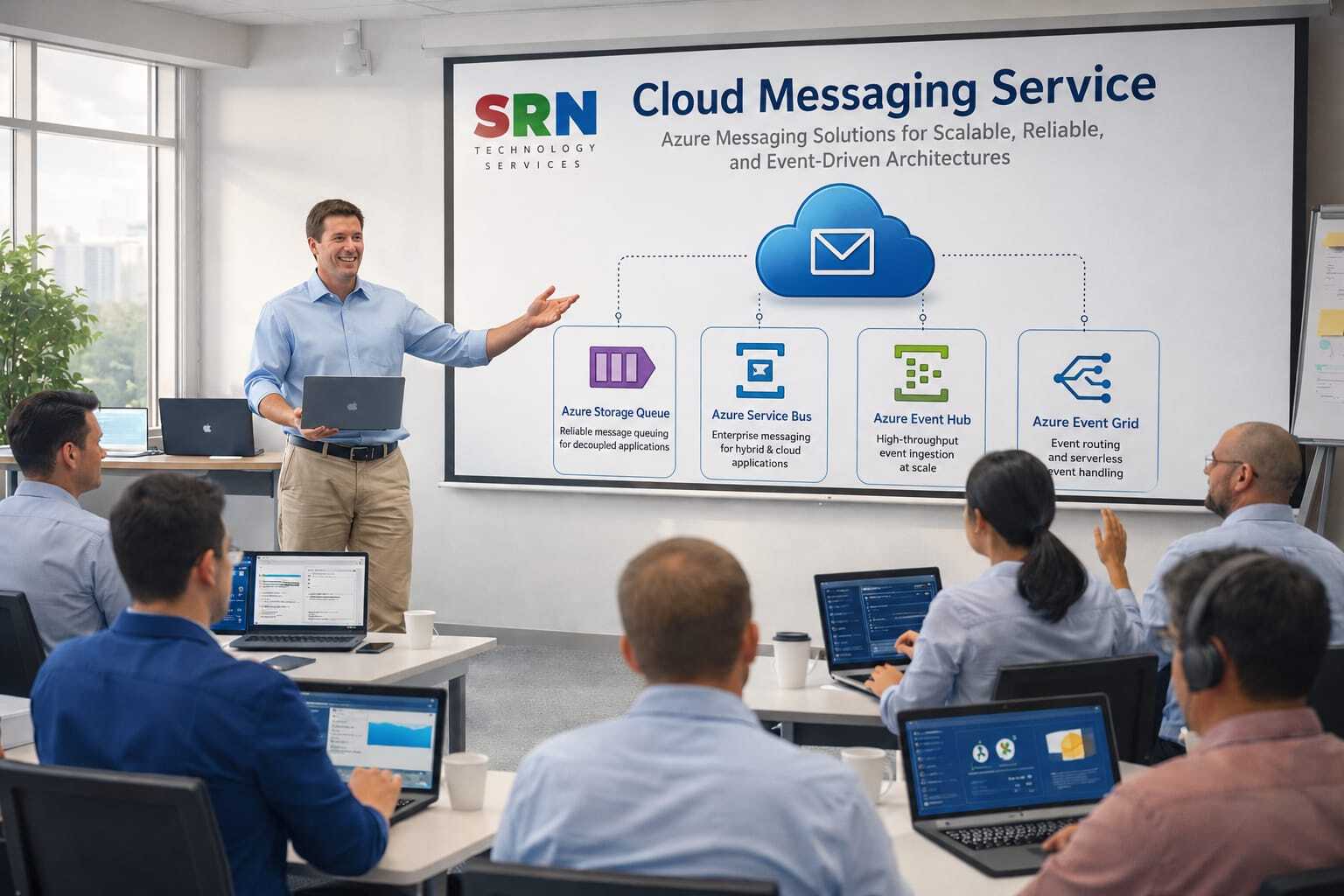
    Cloud Messaging Services (Azure Storage Queue, Azure Service Bus, Azure Event Hub & Azure Event Grid) – 30 Hours Training Curriculum

    Module 1: Introduction to Cloud Messaging & Event-Driven Architecture (3 Hrs)

    • Messaging Fundamentals
    • Synchronous vs Asynchronous Communication
    • Event-Driven Architecture Concepts
    • Azure Messaging Services Overview
    • Azure Storage Queue vs Service Bus vs Event Hub vs Event Grid
    • Selecting the Right Messaging Service

    Module 2: Azure Storage Queue Fundamentals (4 Hrs)

    • Azure Storage Account Overview
    • Queue Storage Architecture
    • Creating and Managing Queues
    • Sending and Receiving Messages
    • Visibility Timeout and Message Lifecycle
    • Queue-Based Application Design
    • Monitoring and Troubleshooting

    Module 3: Azure Service Bus Fundamentals (5 Hrs)

    • Azure Service Bus Architecture
    • Queues, Topics, and Subscriptions
    • Publish-Subscribe Pattern
    • Message Sessions
    • Dead-Letter Queues (DLQ)
    • Message Scheduling and Deferral
    • Security and Access Control
    • Monitoring and Diagnostics

    Module 4: Azure Service Bus Development (3 Hrs)

    • Service Bus SDK with C#/.NET
    • Sending and Receiving Messages
    • Asynchronous Processing
    • Retry Policies and Error Handling
    • Integration with Azure Functions

    Module 5: Azure Event Hub Fundamentals (4 Hrs)

    • Event Streaming Concepts
    • Event Hub Architecture
    • Partitions and Consumer Groups
    • Event Producers and Consumers
    • Throughput Units and Scaling
    • Event Processing and Checkpointing
    • Real-Time Data Streaming Scenarios

    Module 6: Azure Event Grid Fundamentals (4 Hrs)

    • Event Grid Architecture
    • Topics, Domains, and Event Subscriptions
    • System Topics and Custom Topics
    • Event Filtering and Routing
    • Event Delivery and Retry Mechanisms
    • Building Event-Driven Applications

    Module 7: Integration with Azure Services (3 Hrs)

    • Azure Functions Integration
    • Azure Logic Apps Integration
    • Azure Storage Integration
    • Azure Data Lake Integration
    • Power Platform Integration
    • Real-Time Analytics with Power BI

    Module 8: Security, Monitoring & Governance (2 Hrs)

    • Azure Active Directory Authentication
    • Shared Access Signatures (SAS)
    • Monitoring with Azure Monitor
    • Diagnostics and Logging
    • Security Best Practices
    • Cost Optimization and Governance

     Project (2 Hrs)

    • Build an end-to-end event-driven and messaging solution using:
      • Azure Storage Queue
      • Azure Service Bus
      • Azure Event Hub
      • Azure Event Grid
      • Azure Functions
      • Azure Logic Apps
      • Monitoring and Alerting

    Total Duration: 30 Hours

    Training Includes: Theory, Live Demonstrations, Hands-on Labs, Real-Time Messaging Scenarios, Azure SDK Development Exercises, Integration with Azure Services, Monitoring & Troubleshooting Sessions, Architecture Design Discussions, and End-to-End Project Implementation.

    Enrollment Form

    If you have no pending queries and feel confident after completing the trainer assessment session and reviewing earlier batch recordings, please proceed by filling out the form below to officially enroll in the SRNTS Training Program.

    • Are you interested to receive training related update over Whatspp & Gmail *

    💬 Need Assistance?

    If you have any questions about the training program or the enrollment process, our support team is here to help. You can reach us through the following channels:

    • 📱 WhatsApp Chat – Quick and convenient messaging support

    • 📞 Direct Call – Speak with our team instantly

    • 📧 Email Support – Get detailed assistance via mail