
Skip to searchSkip to main content
SRNTS

 Course Overview

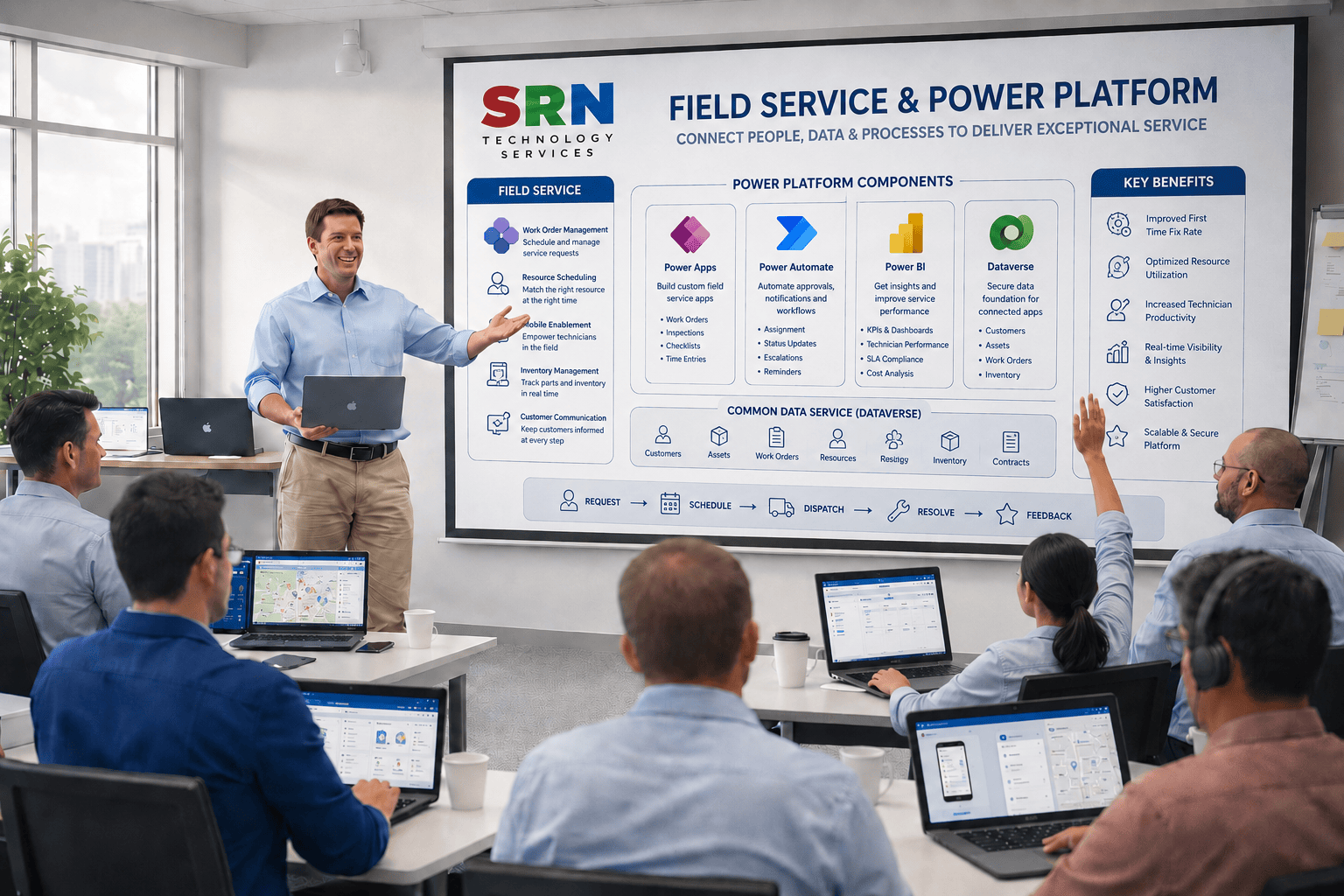
This training provides a complete understanding of Dynamics 365 Field Service and its integration with the Microsoft Power Platform. Participants will learn how to manage work orders, scheduling, resource allocation, inspections, inventory, and mobile field operations while leveraging Power Apps, Power Automate, Power BI, and Dataverse to optimize service delivery and improve operational efficiency.

Audience

  • Field Service Managers
  • Service Technicians
  • Dynamics 365 Functional Consultants
  • Power Platform Developers
  • Business Analysts
  • CRM Administrators
  • IT Professionals involved in service management solutions
  •  Pre‑requisites

    To maximize learning outcomes, participants should have:

    • Basic understanding of field service and maintenance processes
    • Familiarity with Microsoft 365 applications
    • Basic knowledge of CRM concepts
    • No programming experience required
    • Basic understanding of Power Platform is beneficial but not mandatory

    Key Benefits

  • Understand Dynamics 365 Field Service capabilities and architecture
  • Manage work orders, scheduling, and resource assignments efficiently
  • Optimize field operations using mobile applications
  • Automate service workflows with Power Automate
  • Build custom solutions using Power Apps
  • Analyze service performance through Power BI dashboards
  • Manage customer, asset, and service data using Dataverse
  • Improve technician productivity and customer satisfaction
  • Gain hands-on experience with real-world field service scenarios
  • Build a strong foundation for Dynamics 365 Field Service implementations and certifications
  • Curriculam

    Dynamics 365 Field Service – 12 Hours Training Curriculum

    Module 1: Introduction to Dynamics 365 Field Service (1 Hr)

    • Overview of Dynamics 365 Field Service
    • Field Service Architecture
    • Key Components and Modules
    • Business Use Cases and Benefits
    • Field Service Lifecycle Overview

    Module 2: Core Field Service Configuration (2 Hrs)

    • Work Orders
    • Service Accounts and Contacts
    • Products and Services
    • Incident Types
    • Service Tasks and Requirements

    Module 3: Resource Management (2 Hrs)

    • Resources and Resource Types
    • Characteristics and Skills
    • Territories and Organizational Units
    • Resource Scheduling Concepts
    • Resource Availability Management

    Module 4: Scheduling & Dispatching (2 Hrs)

    • Schedule Board Overview
    • Booking and Scheduling Work Orders
    • Manual and Automated Scheduling
    • Resource Scheduling Optimization (RSO) Overview
    • Dispatcher Workspace

    Module 5: Field Service Mobile App (2 Hrs)

    • Mobile App Overview
    • Mobile Configuration and Setup
    • Work Order Management on Mobile
    • Offline Capabilities
    • Capturing Notes, Images, and Signatures

    Module 6: Inventory & Asset Management (1 Hr)

    • Customer Assets
    • Inventory Management
    • Warehouses and Inventory Transfers
    • Product Consumption Tracking

    Module 7: Integration & Automation (1 Hr)

    • Power Automate Integration
    • Power BI Reporting Overview
    • Microsoft Teams Integration
    • Notifications and Automated Workflows

     Project (1 Hr)

    • Configure a complete Field Service solution including work orders, resources, scheduling, mobile application setup, inventory management, and workflow automation.

    Total Duration: 12 Hours

    Training Includes: Theory, Live Demonstrations, Hands-on Labs, Real-World Field Service Scenarios, Mobile App Configuration, Scheduling Exercises, and End-to-End Field Service Implementation Project.

    Enrollment Form

    If you have no pending queries and feel confident after completing the trainer assessment session and reviewing earlier batch recordings, please proceed by filling out the form below to officially enroll in the SRNTS Training Program.

    • Are you interested to receive training related update over Whatspp & Gmail *

    Need Assistance

    If you have any questions about the training program or the enrollment process, our support team is here to help. You can reach us through the following channels:

    • 📱 WhatsApp Chat – Quick and convenient messaging support

    • 📞 Direct Call – Speak with our team instantly

    • 📧 Email Support – Get detailed assistance via mail