
Skip to searchSkip to main content
SRNTS

Course Overview

This training offers a comprehensive, hands‑on journey into Azure Functions, focusing on how serverless computing can extend and enhance Power Platform solutions. Participants will learn to design, deploy, and manage event‑driven functions that integrate seamlessly with Dynamics 365 CE, Power Apps, and Power Automate. The course emphasizes real‑world scenarios, empowering professionals to build scalable, cost‑efficient, and future‑ready applications.

Audience

This program is designed for:

  • Power Platform Developers seeking to add advanced automation and custom logic.

  • Dynamics 365 CE Consultants aiming to deliver smarter, integrated solutions.

  • Cloud Engineers & IT Professionals looking to master serverless architecture.

  • Solution Architects & Business Analysts who want to design data‑driven, intelligent workflows.

Pre‑requisites

To maximize learning outcomes, participants should have:

  • Basic knowledge of Power Platform components (Power Apps, Power Automate, Power BI).

  • Familiarity with Dynamics 365 CE concepts.

  • Fundamental understanding of Azure services and cloud computing.

  • Exposure to C# or JavaScript is beneficial, though not mandatory.

Key Benefits

  • Practical Integration: Learn how Azure Functions extend Power Platform capabilities with real‑world use cases.

  • Career Advancement: Gain in‑demand skills in serverless computing and cloud automation.

  • Expert‑Led Training: Learn directly from seasoned professionals with deep industry expertise.

  • Hands‑On Projects: Work on scenarios that mirror enterprise challenges and solutions.

  • Future‑Ready Skills: Position yourself as a Power Platform + Azure specialist, opening doors to advanced roles and global opportunities.

  • Curriculam

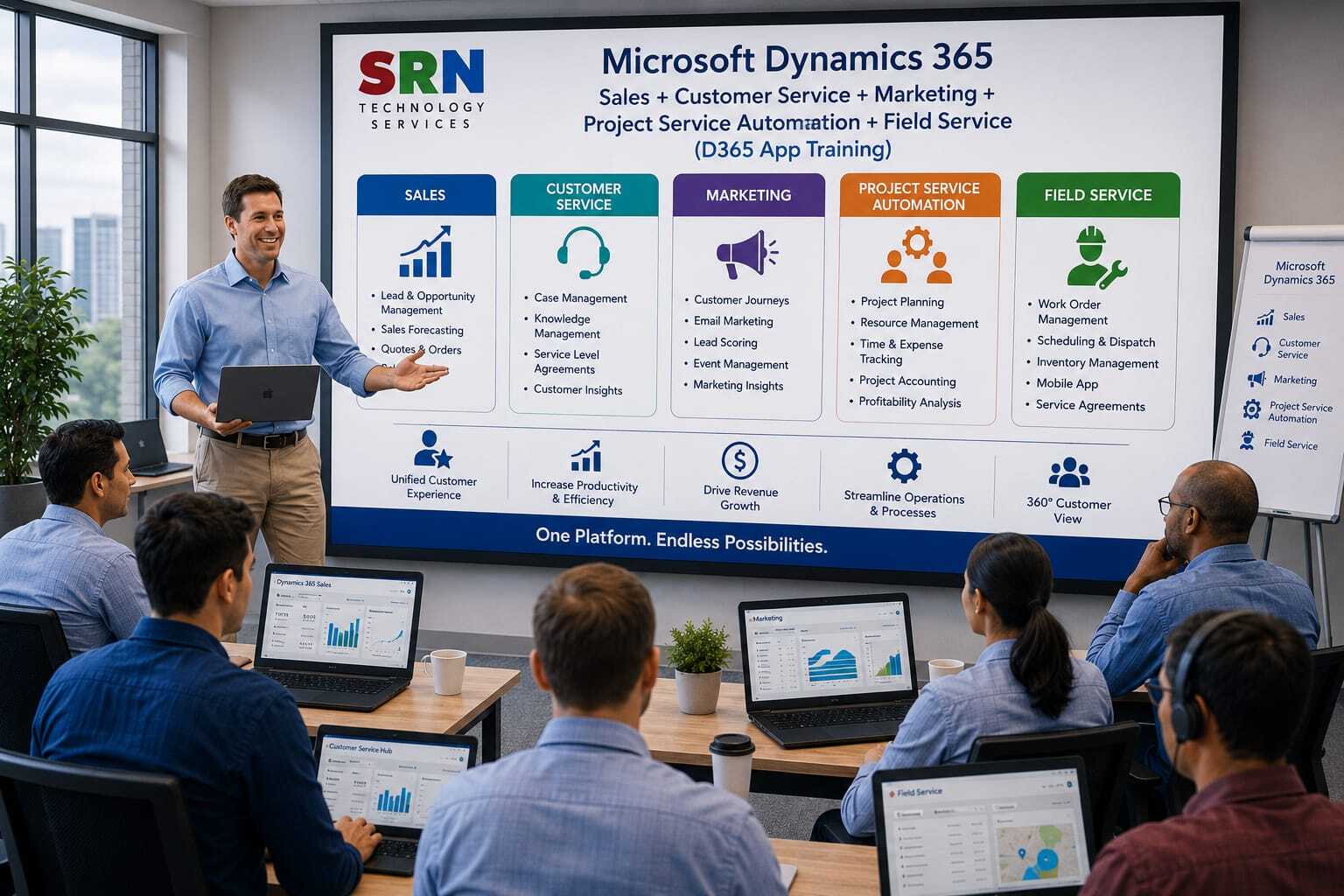
    Dynamics 365 Applications (Sales + Marketing + Customer Service + Project Operations + Field Service) – 60 Hours Training Curriculum

    Module 1: Introduction to Dynamics 365 & Dataverse (4 Hrs)

    • Overview of Dynamics 365 Applications
    • Dynamics 365 Architecture and Modules
    • Dataverse Fundamentals
    • Tables, Columns, Relationships, and Business Rules
    • Security Model Overview
    • Business Process Flows

    Module 2: Dynamics 365 Sales (12 Hrs)

    • Sales Hub Overview
    • Accounts and Contacts Management
    • Lead Management and Qualification
    • Opportunity Management
    • Products, Price Lists, and Product Catalog
    • Quotes, Orders, and Invoices
    • Sales Activities and Collaboration
    • Sales Forecasting and Pipeline Management
    • Sales Insights and AI Capabilities
    • Dashboards and Reporting

    Module 3: Dynamics 365 Marketing / Customer Insights - Journeys (12 Hrs)

    • Marketing Application Overview
    • Marketing Configuration and Setup
    • Customer Profiles and Consent Management
    • Segmentation and Targeting
    • Email Marketing and Personalization
    • Customer Journeys and Automation
    • Marketing Forms and Landing Pages
    • Lead Management and Lead Scoring
    • Event Management Overview
    • Marketing Analytics and Reporting

    Module 4: Dynamics 365 Customer Service (12 Hrs)

    • Customer Service Hub Overview
    • Case Management
    • Queues and Routing Rules
    • Entitlements and Service Level Agreements (SLAs)
    • Knowledge Management
    • Customer Service Workspace
    • Service Scheduling
    • Productivity Tools and Collaboration
    • Escalation and Resolution Processes
    • Dashboards and Analytics

    Module 5: Dynamics 365 Project Operations (10 Hrs)

    • Project Operations Overview
    • Project Setup and Configuration
    • Work Breakdown Structure (WBS)
    • Project Planning and Scheduling
    • Resource Management
    • Time and Expense Management
    • Project Costing and Budgeting
    • Billing and Invoicing
    • Project Reporting and Analytics

    Module 6: Dynamics 365 Field Service (8 Hrs)

    • Field Service Overview
    • Work Orders and Incident Types
    • Customer Assets Management
    • Resource Scheduling and Dispatching
    • Schedule Board Management
    • Field Service Mobile App
    • Inventory and Asset Management
    • Field Service Analytics and Reporting

    Module 7: Integration & Automation (1 Hr)

    • Power Automate Integration
    • Microsoft Teams Integration
    • Outlook Integration
    • Cross-Application Business Processes
    • Dataverse Integration

    Module 8: Security, Administration & Reporting (1 Hr)

    • Security Roles and Permissions
    • Business Units and Teams
    • Environment Administration
    • Dashboards and Reporting
    • Power BI Integration Overview

    Project (2 Hrs)

    • Build an end-to-end Dynamics 365 solution covering Lead Management, Marketing Automation, Customer Service, Project Delivery, Field Service Operations, Workflow Automation, and Reporting.

    Total Duration: 60 Hours

    Training Includes: Theory, Live Demonstrations, Hands-on Labs, Real-World Business Scenarios, End-to-End CRM/ERP Process Implementation, and Comprehensive Project Development.

    Enrollment Form

    If you have no pending queries and feel confident after completing the trainer assessment session and reviewing earlier batch recordings, please proceed by filling out the form below to officially enroll in the SRNTS Training Program.

    • Are you interested to receive training related update over Whatspp & Gmail *

    Need Assistance?

    If you have any questions about the training program or the enrollment process, our support team is here to help. You can reach us through the following channels:

    • 📱 WhatsApp Chat – Quick and convenient messaging support

    • 📞 Direct Call – Speak with our team instantly

    • 📧 Email Support – Get detailed assistance via mail